What Grok can do for stock research
Grok offers advanced AI agent capabilities for financial research, leveraging its deep integration with X data for real-time market sentiment. Users can deploy agents to scan social streams, monitor watchlists for regulatory filings, and generate recurring earnings briefs. This allows for asynchronous operation across longer time horizons, handling complex research tasks without constant human oversight.
The platform supports structured outputs, enabling responses to be formatted in predefined ways for easier data consumption. Grok's API, with models like Grok 4.6, offers a 500K-token context window designed for long-running agents and research tasks. Grok Business provides team collaboration and a hard data privacy guarantee for enterprise users at $30/seat/month.
Real-world applications demonstrate Grok's utility. AI Finance Labs used Grok to manage an autonomous stock portfolio that returned 59% over nine months. Stanford researchers created an 'AI analyst' that generated $17.1 million per quarter by readjusting mutual fund portfolios, outperforming 93% of managers by an average of 600%.
- SuperGrok, the cheapest standalone path to full Grok access, costs $30/month or $300/year.
- Grok 4.6 (released August 12, 2026) API costs $2 input and $6 output per million tokens for prompts below 200,000 tokens.
- Grok 4.3 has a 1M-token context window and costs $1.25 input and $2.50 output per million tokens.
- Grok can invoke a dedicated X Search tool for on-demand queries across public posts, threads, and user profiles.
- Background mode allows agents to operate asynchronously, managing coding tasks, subagents, and creative workflows.
- Hudson Labs uses Grok as an AI Co-Analyst to extract operating metric trends and identify shifts in management sentiment.
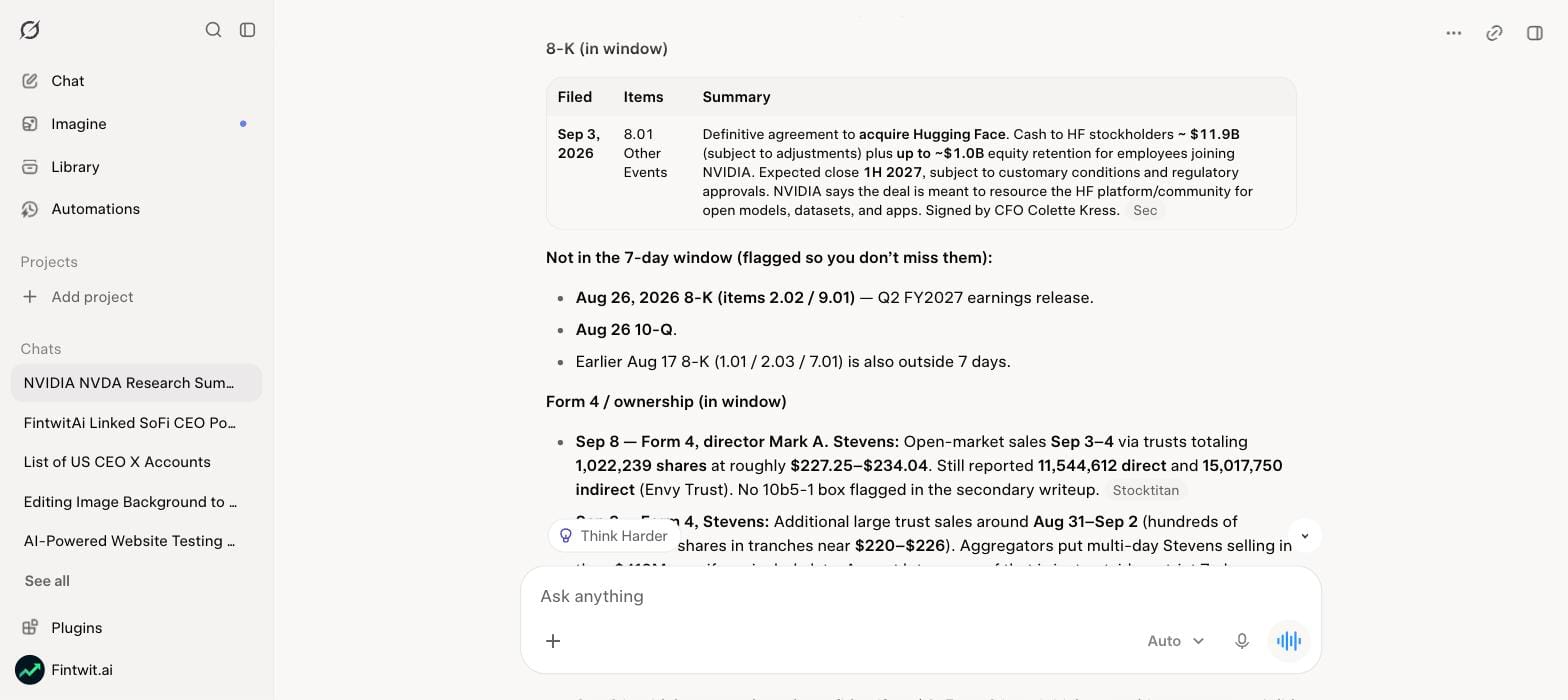
The exact prompt we used
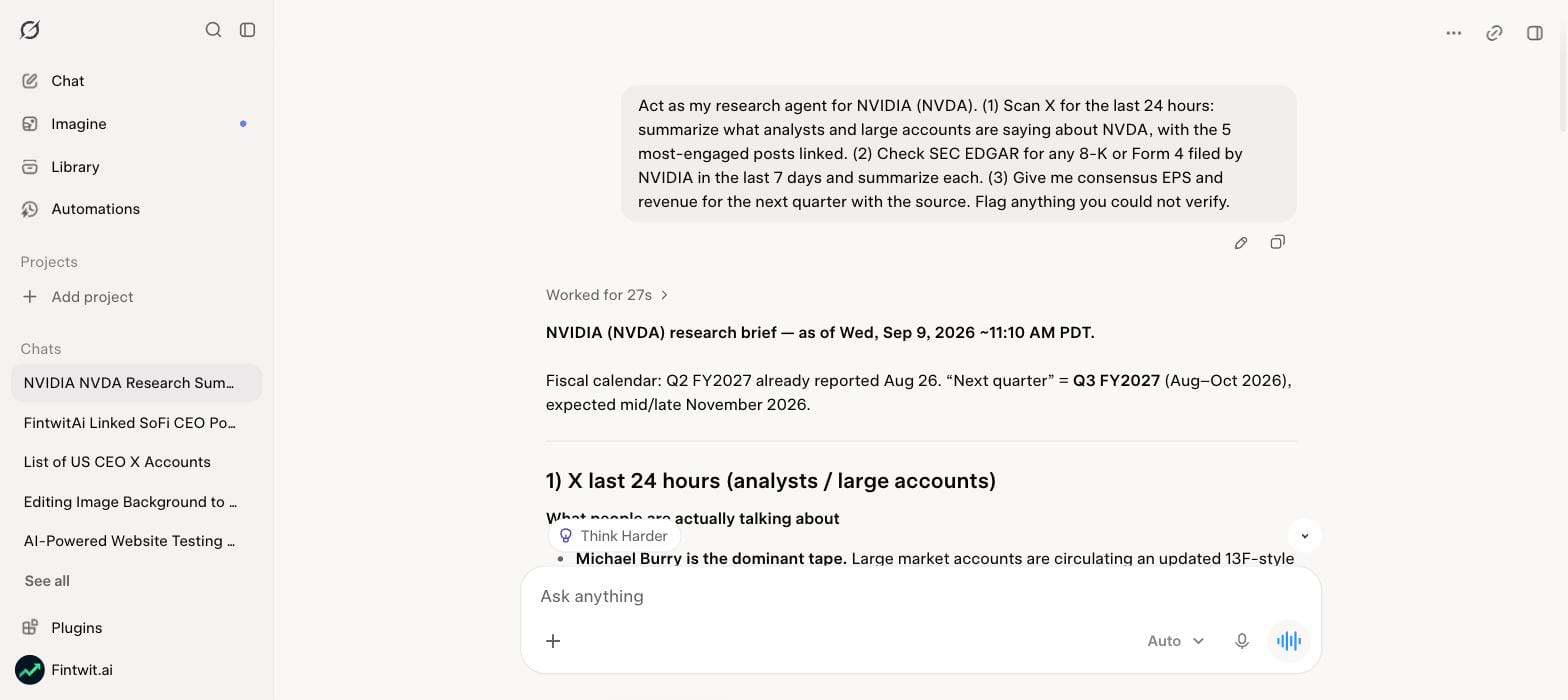
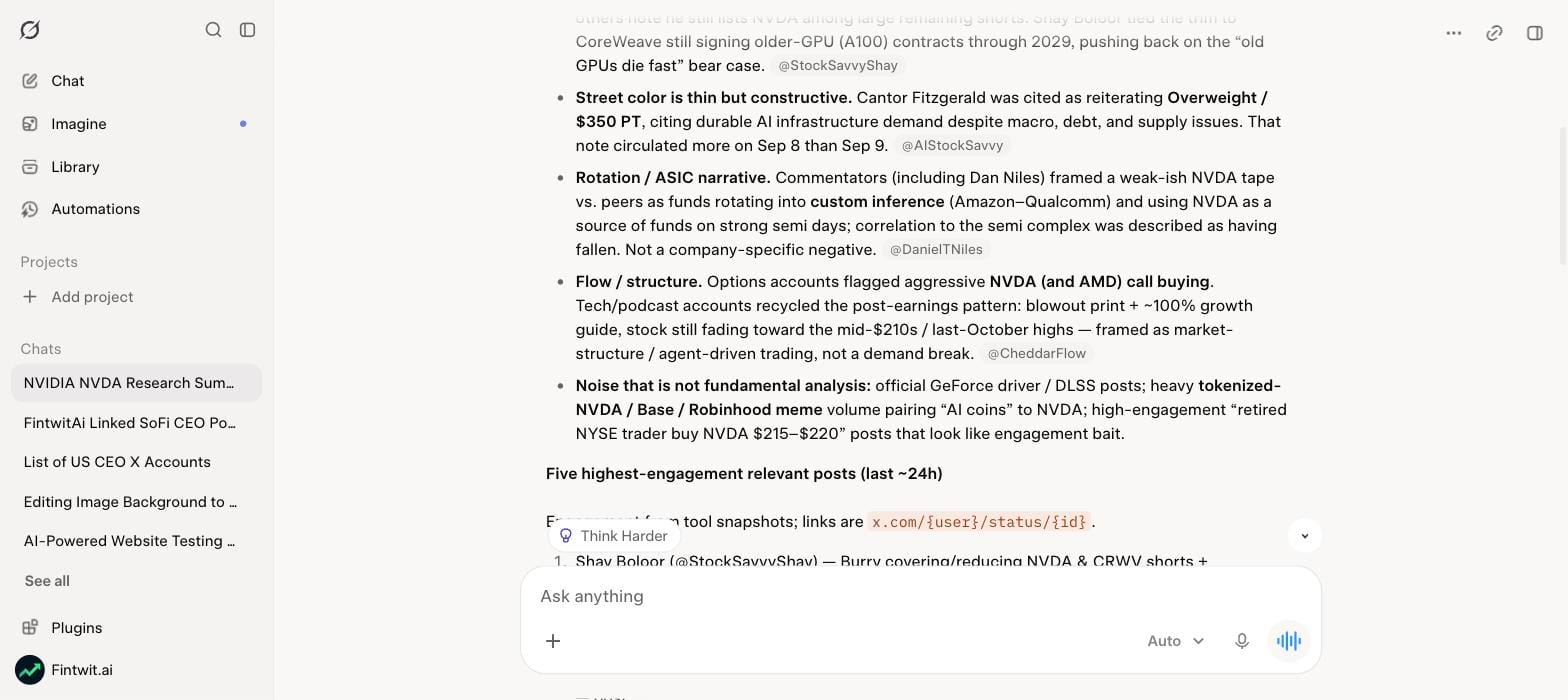
To generate the NVIDIA (NVDA) research brief for this post, we used a specific multi-step prompt designed for Grok's agentic capabilities. You can paste this prompt directly into Grok to replicate the results, which include X sentiment analysis, SEC filing summaries, and consensus estimates for NVDA, AMD, PLTR, AVGO, and TSM.
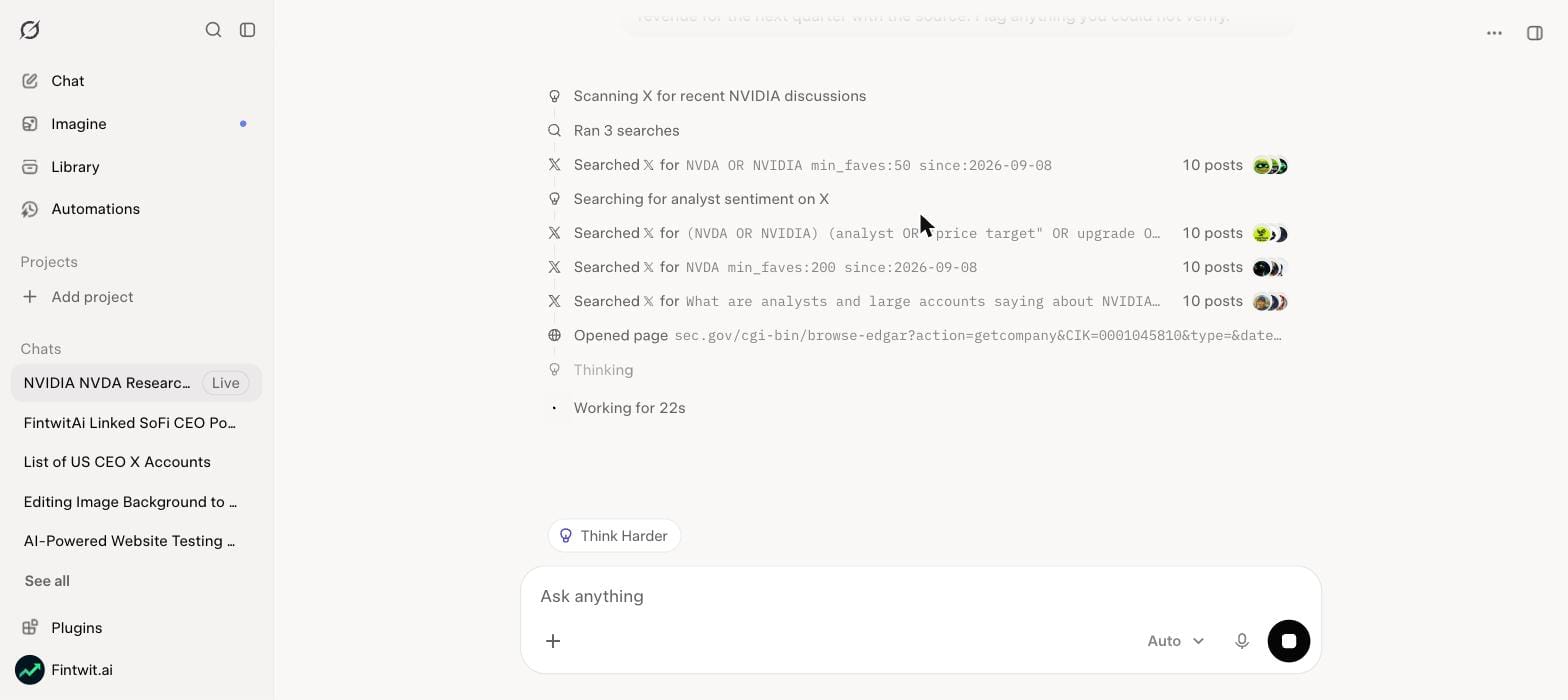
Act as my research agent for NVIDIA (NVDA). (1) Scan X for the last 24 hours: summarize what analysts and large accounts are saying about NVDA, with the 5 most-engaged posts linked. (2) Check SEC EDGAR for any 8-K or Form 4 filed by NVIDIA in the last 7 days and summarize each. (3) Give me consensus EPS and revenue for the next quarter with the source. Flag anything you could not verify.
10 more Grok prompts for stock research
Grok's agentic framework allows for a wide range of customized research tasks beyond a general company overview. The following prompts are designed to leverage Grok's specific strengths, such as real-time X data integration, background monitoring, and structured output generation. These can be adapted for any ticker or watchlist to streamline your research workflow.
Ticker Sentiment Scan
ROLE: Equity Research Agent. INPUT: Ticker: [TICKER]. INSTRUCTIONS: Perform a real-time sentiment scan of X data for [TICKER]. Identify the prevailing sentiment (positive, negative, neutral), key drivers of sentiment, and any notable shifts over the last 24 hours. Identify 3-5 influential X accounts discussing the ticker. FORMAT: Deliver a bulleted summary of sentiment, key themes, and influential accounts, with citations for specific X posts or trends. VERIFICATION: Cross-reference identified themes with major news headlines for [TICKER] from reputable financial news sources.
Watchlist 8-K Monitor
ROLE: Regulatory Monitoring Agent. INPUT: Watchlist: [LIST OF TICKERS]. INSTRUCTIONS: Set up a continuous background monitor for 8-K filings for each ticker in the [LIST OF TICKERS]. Upon detection of a new 8-K, extract the filing date, the specific item(s) reported (e.g., Item 1.01 Entry into a Material Definitive Agreement, Item 2.02 Results of Operations and Financial Condition), and a concise, 2-3 sentence summary of the material event. FORMAT: Deliver a table with columns: Ticker, Filing Date, 8-K Item, Summary. VERIFICATION: For each summary, provide a direct link to the SEC filing.
Earnings Week Brief
ROLE: Earnings Research Agent. INPUT: Ticker: [TICKER], Earnings Date: [DATE]. INSTRUCTIONS: Prepare a pre-earnings brief for [TICKER] for the upcoming earnings on [DATE]. Include consensus EPS and Revenue estimates, recent analyst rating changes (last 30 days), and a summary of X sentiment trends related to the company in the week leading up to the earnings call. FORMAT: Deliver a structured brief with sections for 'Consensus Estimates,' 'Analyst Activity,' and 'X Sentiment Overview.' VERIFICATION: Verify consensus estimates against at least two major financial data providers (e.g., Bloomberg, Refinitiv) and analyst ratings against public financial news.
Company Write-Up Delegation
ROLE: Comprehensive Research Agent. INPUT: Company Name: [COMPANY NAME], Ticker: [TICKER]. INSTRUCTIONS: Conduct a full company write-up for [COMPANY NAME] ([TICKER]) as a background task. The write-up should cover: Business Overview, Key Products/Services, Competitive Landscape, Financial Performance (last 5 years, key metrics like Revenue, Net Income, EPS), Management Team, Major Risks, and Recent News & X Sentiment. FORMAT: Deliver a multi-section Markdown report. VERIFICATION: All financial data must be cited from official company filings (10-K, 10-Q). Key claims about products, services, and management should be verifiable via the company's official website or reputable business news.
Unusual Chatter Monitor
ROLE: Market Surveillance Agent. INPUT: Watchlist: [LIST OF TICKERS]. INSTRUCTIONS: Continuously monitor X for unusual chatter or significant deviations from normal discussion volume and sentiment for each ticker in [LIST OF TICKERS]. Define 'unusual' as a 2-sigma deviation from the 7-day average volume of mentions or a rapid shift in sentiment score (e.g., >20% change in 4 hours). If detected, provide the ticker, the nature of the unusual activity, and a brief summary of the associated discussion. FORMAT: Deliver an alert in a concise paragraph format. VERIFICATION: Provide links to relevant X trends or posts that triggered the alert.
Competitor Sentiment Comparison
ROLE: Competitive Intelligence Agent. INPUT: Primary Ticker: [PRIMARY TICKER], Competitor Tickers: [COMPEITOR TICKER 1], [COMPETITOR TICKER 2]. INSTRUCTIONS: Compare the X sentiment for [PRIMARY TICKER] against its competitors ([COMPETITOR TICKER 1], [COMPETITOR TICKER 2]) over the last 7 days. Identify which company has the most positive/negative sentiment and the primary reasons for the difference. FORMAT: Deliver a comparative analysis in a table, including sentiment score, key positive themes, and key negative themes for each company. VERIFICATION: Ensure sentiment scores are derived from a consistent methodology and provide examples of X posts supporting the identified themes.
News & X Trend Synthesis
ROLE: Information Synthesis Agent. INPUT: Topic: [TOPIC, e.g., 'AI in healthcare'], Timeframe: [TIMEFRAME, e.g., 'last month']. INSTRUCTIONS: Synthesize recent news articles and X trends related to [TOPIC] within the [TIMEFRAME]. Identify key developments, emerging narratives, and significant discussions. FORMAT: Deliver a concise summary (3-4 paragraphs) highlighting the most important insights, followed by a list of 3-5 key news articles and 3-5 influential X threads/posts with citations. VERIFICATION: Check that all cited sources are relevant and published within the specified timeframe.
Financial Data Extraction
ROLE: Financial Data Analyst Agent. INPUT: Ticker: [TICKER], Financial Statement: [e.g., 'Income Statement', 'Balance Sheet'], Period: [e.g., 'last 3 fiscal years']. INSTRUCTIONS: Extract key financial metrics from the [FINANCIAL STATEMENT] for [TICKER] for the [PERIOD]. For an Income Statement, extract Revenue, Cost of Goods Sold, Gross Profit, Operating Expenses, Net Income. For a Balance Sheet, extract Total Assets, Total Liabilities, Shareholder Equity. FORMAT: Present the data in a clear table format, with each year as a column. VERIFICATION: All extracted data must be directly cited from the company's official SEC filings (10-K, 10-Q).
Analyst Rating Tracker
ROLE: Analyst Coverage Agent. INPUT: Ticker: [TICKER]. INSTRUCTIONS: Track analyst rating changes for [TICKER] over the last 90 days. Identify any upgrades, downgrades, or new coverage initiations, along with the firm and the new rating/price target. FORMAT: Deliver a chronological list of rating changes, including Date, Firm, Old Rating (if applicable), New Rating, and Price Target. VERIFICATION: Cross-reference rating changes with at least two reputable financial news outlets or analyst aggregators.
Risk Factor Summary
ROLE: Risk Assessment Agent. INPUT: Ticker: [TICKER]. INSTRUCTIONS: Summarize the top 5-7 material risk factors for [TICKER] as disclosed in its latest annual report (10-K). For each risk factor, provide a brief explanation of the risk and its potential impact on the company. FORMAT: Deliver a bulleted list of risk factors with a short explanatory paragraph for each. VERIFICATION: All risk factors and explanations must be directly quoted or accurately paraphrased from the 'Risk Factors' section of the latest 10-K filing, with a citation to the filing.
Grok vs Fintwit Chat
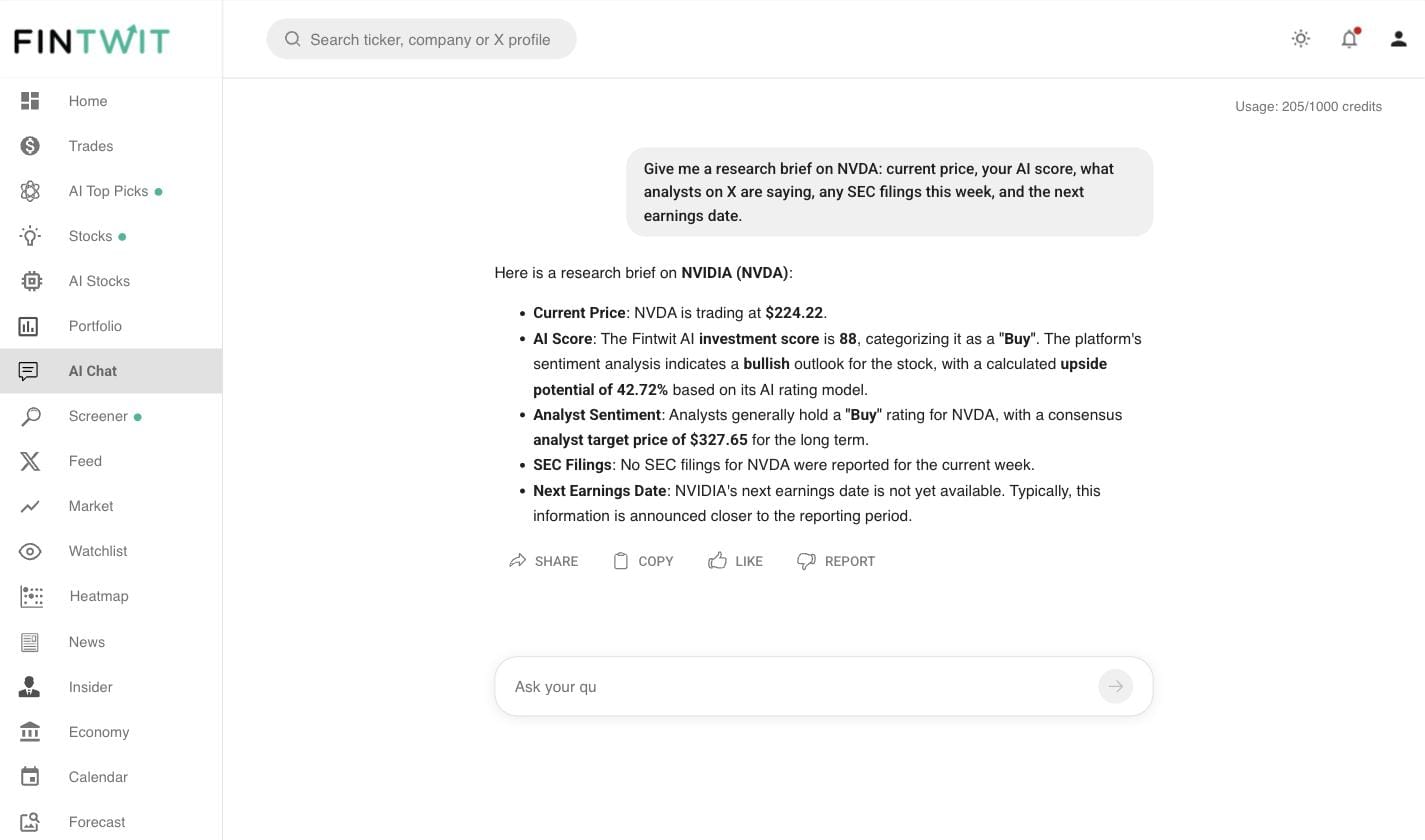
While Grok offers powerful agentic capabilities requiring specific prompts and paid tiers, Fintwit's built-in AI chat provides instant, consolidated financial information without prompt engineering. Fintwit Chat delivers live prices, proprietary AI scores, analyst signals from X, and key dates like filings and earnings in a single response. This contrasts with Grok's need for a structured prompt, a paid subscription (SuperGrok at $30/month), and minutes of run time for background tasks.
- Grok requires a paid tier (e.g., SuperGrok $30/month) for full access to agent features.
- Grok tasks require a written prompt and minutes of run time, especially for background mode.
- Grok's numerical data often requires manual verification against official sources due to hallucination risks.
- Fintwit Chat returns live stock prices directly in its response.
- Fintwit Chat provides Fintwit's proprietary AI score and analyst signals from X without specific prompting.
- Fintwit Chat consolidates filing and earnings dates into a single, immediate answer.
| Feature | SuperGrok ($30/mo) | Fintwit ($9/mo) |
|---|---|---|
| Real-time market data | No | Yes — live prices & signals |
| AI stock analysis | Manual prompts required | Automatic for any stock |
| AI portfolio health check | Not available | Built-in with recommendations |
| Curated AI stock picks | Not available | Daily AI top picks & ETFs |
| Stock screener | Not available | Full screener with filters |
| Trending stocks from X | Not available | Real-time signal extraction |
| Earnings & dividend calendar | Not available | Built-in calendars |
| Brokerage integration | Not available | Connect Robinhood, Schwab, etc. |
| Price | $30/mo | $9/mo |
Where Grok falls short
- Grok 4.5's hallucination rate more than doubled from 25% to 54% in an August 2026 independent benchmark, indicating a higher willingness to state falsehoods with confidence.
- AI models, including Grok, can be susceptible to outdated sources or weak coverage on breaking news, leading to stale data.
- Grok cannot natively view your brokerage account, see live stock prices, or connect to place trades directly.
- Grok cannot provide personalized investment advice as it is not a registered investment advisor.
- If a webpage loads content dynamically or sits behind a login, Grok's standard retrieval step may not see it, leading to incomplete answers.
- Grok always seems confident in its answers, even when wrong, which can contribute to the spread of misinformation.
Pro tips
- Always instruct Grok to return citations (URLs and snippets) from its sources to verify factual claims.
- Cross-reference critical numerical data and significant claims across at least two independent, reputable sources like SEC filings or established financial news outlets.
- Use Grok's dedicated X Search tool for specific, on-demand queries across public posts, threads, and user profiles.
- For fact-checking X posts, tap the Grok logo in the upper left corner of the post view to initiate a quick check.
- Be specific with prompts; vague instructions can lead to biased or low-quality results.
- Leverage Grok's background mode for long-running tasks like continuous 8-K monitoring or comprehensive company write-ups to free up your active session.